Key Points
- ChatGPT now transcribes speech on screen while users talk, with no recording length limit.
- Live Dictation is rolling out to all plans, including free accounts, across mobile, web and desktop.
- Dictated text falls under default training settings on personal accounts unless users switch them off.
The latest:
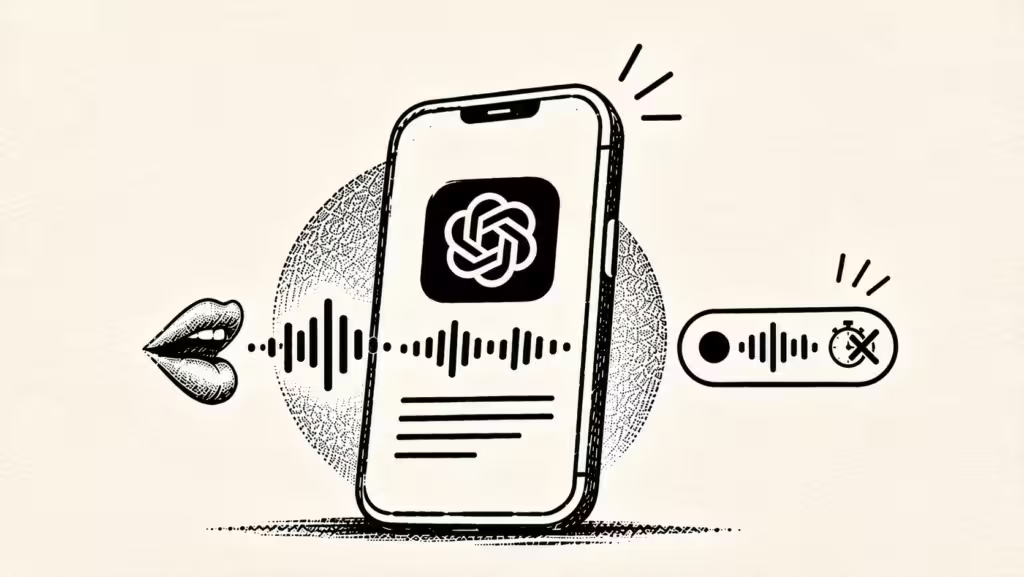
ChatGPT users can now see their words appear on screen as they speak, and the 10-minute ceiling on a single recording is gone. OpenAI said in its November 18 release notes that Live Dictation is rolling out globally to all ChatGPT plans on iOS, Android, web and the desktop app, free accounts included. The company said the rollout is gradual, so some users will not see the feature yet.
Details:
- How it works: The feature sits behind the microphone icon in the message box, not voice mode, where the assistant speaks back. Tapping the waveform shows or hides the running text. When the user stops, the transcript lands in the message box and can be edited before sending.
- What changed: Previously, text appeared only after a recording ended, and the 10-minute cap cut off longer sessions. 9to5Mac reported that the limit made dictation awkward for notes, long prompts and emails, the use cases the removal is aimed at.
- Audio retention: According to OpenAI’s dictation FAQ, recordings are sent to the company and transcribed there, and the audio is kept for as long as the chat remains in the user’s history. Deleting the chat triggers deletion of the audio clip within 30 days.
- The exceptions: OpenAI’s FAQ lists two carve-outs from that 30-day deletion: clips it needs to retain for security or legal reasons, and clips a user previously shared for training that had already been separated from their account.
- Training on audio: OpenAI said it trains on dictation audio only where the user has turned audio sharing on. The FAQ states: “If you are a consumer user and have chosen to share audio to improve our models, we may train on audio from dictation.” The ChatGPT Voice help page carries the same wording.
- Text is different: The transcript is sent as an ordinary message, so the general Improve the model for everyone setting governs it rather than the audio switch. OpenAI’s data controls page says sharing is enabled by default on personal Free, Plus and Pro accounts, meaning heavy dictation under default settings feeds dictated text into training data.
- Business accounts: Gizmodo noted that business accounts are excluded from model training by default, leaving the exposure concentrated among individual consumer users who never open the settings menu.
- The controls: Both switches sit in Settings under Data controls. Include your audio recordings stops audio sharing only and covers dictation and voice chat together. Switching off Improve the model for everyone keeps chats out of training while leaving chat history in place.
- Industry context: Google made a comparable change the same week, separating Gemini chat history from AI training. That move came with a trade-off: Google now retains chats for longer than before.
Between the lines:
Removing the recording cap and surfacing text live both push users toward longer dictated input. Because transcripts are treated as ordinary messages governed by the default-on training setting, the volume of consumer text available for training rises with usage, while the audio itself stays off by default. The privacy burden therefore sits on the text switch, not the audio one.
What’s next
Watch how quickly the staged global rollout reaches free accounts, and whether OpenAI adjusts the default training setting for dictated text on personal plans as usage volumes grow.